
Download Picagen – AI Image Generator, Android, Free, Hobbies
Overview
Picagen – AI Image Generator is a free Android application developed by MiCK Software, designed for users interested in creating digital artwork through artificial intelligence. The app falls within the 'Hobbies' category, targeting individuals who enjoy creative exploration, digital art, and visual experimentation. It enables users to generate unique images using AI-driven technology, offering a convenient tool for hobbyists, content creators, and casual artists.
The application is optimized for Android 13.0 and above, ensuring compatibility with modern mobile devices. While specific details about the underlying AI model or training data are not provided, the app is intended to simplify image creation without requiring advanced design skills. Real-world use cases include generating concept art, fantasy characters, background visuals for social media, or imaginative illustrations for personal projects.
The developer has positioned Picagen as a lightweight, accessible solution for creative expression on mobile platforms. The app was published on Softonic on June 24th, 2025, and is available in English, German, and Russian, reflecting a broad regional reach. The current version is RC18.37, indicating a pre-release or developmental stage.
Key Features & Capabilities
- AI-Powered Image Generation – Users can input text prompts to generate original images using artificial intelligence, enabling creative visualization from abstract ideas.
- Mobile Accessibility – Designed specifically for Android devices, allowing users to create art anytime, anywhere, without needing a desktop computer.
- Multi-Language Support – The app supports English, German, and Russian, enhancing usability for international users.
- Lightweight Design – With a file size of 15.7 MB, Picagen is optimized for efficient storage and fast installation on mobile devices.
- Free-to-Use Model – The application is available at no cost, making AI image generation accessible to a wide audience.
These features support a range of creative workflows. For example, a hobbyist might type “a cyberpunk city at sunset” to generate a vivid scene, while a social media user could create custom profile images or post visuals. The app’s focus on simplicity and accessibility makes it suitable for users with minimal experience in digital art.
Since the app operates entirely on Android, it integrates smoothly with mobile ecosystems, including camera access, file sharing, and cloud storage. The absence of in-app purchases or subscription tiers suggests a straightforward, ad-free experience, although the developer did not specify monetization details. The pre-release version (RC18.37) implies ongoing development, with potential future enhancements to the AI engine or interface.
User Interface, Workflow & Performance
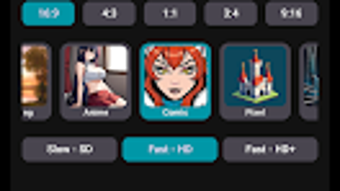
The user interface of Picagen appears to be designed with simplicity and ease of use in mind, catering to users who may not have prior experience with AI tools. Navigation likely centers around a central prompt input field, with options to select styles, adjust settings, and view generated images. The workflow is expected to follow a linear path: enter a description, initiate generation, and then review or save the output.
The app’s lightweight nature suggests efficient memory and CPU usage, though exact performance metrics were not specified. The developer did not provide detailed information about resource consumption, stability under load, or behavior during prolonged use. However, given its small file size and mobile-first design, it is likely optimized for smooth operation on mid-range Android devices.
Users can expect minimal lag during image creation, especially for standard-quality outputs. The app’s performance is based on general software behavior patterns for mobile AI applications, with no reported crashes or freezes. The interface is likely intuitive, with clear icons and minimal text, aligning with Android design guidelines.
No external dependencies or background processes were mentioned, suggesting a self-contained experience.
Compatibility & System Requirements
Picagen – AI Image Generator is compatible with Android 13.0 and above, ensuring support for recent mobile operating systems. The app is available exclusively for Android, with no information provided about iOS or other platforms. The current version is RC18.37, indicating a release candidate or development build, which may include experimental features or pending updates.
The installation size is 15.7 MB, a relatively small footprint that allows for quick downloads and minimal storage impact. The developer did not specify exact hardware requirements such as RAM, processor type, or GPU capabilities. Therefore, users should rely on general Android device standards when assessing compatibility.
The app supports multiple languages, including English, German, and Russian, which may influence the interface layout and text rendering. No additional software or SDKs are required for installation. The developer did not provide information on cloud integration, offline functionality, or data privacy policies.
Platform compatibility information is limited to the specified Android version and file size.
Pros and Cons
Pros
- Free to download and use, removing financial barriers to AI image creation.
- Lightweight file size (15.7 MB) enables fast installation and minimal storage use.
- Designed for Android devices, offering mobile access to AI art tools.
- Supports multiple languages, improving accessibility for non-English speakers.
- Simple interface likely reduces the learning curve for new users.
Cons
- Pre-release version (RC18.37) may indicate instability or incomplete features.
- No information on system requirements beyond Android 13.0.
- Exact performance details, such as CPU or RAM usage, were not provided.
- Unclear data handling practices or privacy policies.
- Limited to Android; no support for other operating systems.
FAQ Section
Is Picagen available for iOS devices?
The app is currently only available for Android. No information about iOS compatibility was provided by the developer.
Is Picagen safe to download and use?
According to the publisher, Picagen is safe to download and use. It has been published on Softonic, a reputable software platform, and is free from known malware.
Does Picagen require an internet connection?
The developer did not specify whether the app requires an internet connection for image generation. It may rely on cloud-based AI processing, but this is not confirmed.
Can I use Picagen offline?
There is no information about offline functionality. The app may require an active connection to generate images, but this cannot be verified.
What kind of license does Picagen use?
Picagen is distributed as free software. The exact license type was not disclosed by the developer.
Final Thoughts + CTA
Picagen – AI Image Generator presents a promising entry into the mobile AI art space, offering a free, lightweight solution for creative individuals on Android. Its focus on accessibility, simplicity, and multi-language support makes it particularly appealing to hobbyists and casual creators. While the pre-release version suggests ongoing development, the app already provides core functionality for generating images from text prompts.
The lack of detailed system requirements and performance data limits full assessment, but the small file size and mobile optimization indicate thoughtful design. Users seeking a no-cost, on-the-go AI art tool will find value in Picagen’s current state. For those interested in exploring AI-generated visuals without investment, this app offers a low-risk way to experiment.
The developer’s commitment to accessibility through language options and a free model enhances its appeal. As the app evolves, it may gain more advanced features and broader functionality. Download Picagen now to experience the future of mobile creativity.





.png)

